


DuckDuckGo, optional Duck.ai
4.7380.75K Reviews
App Specs
- Version
- 5.287.2
- Updated On
- License
- Free
- Downloads
- 50,000,000+
- Developer
- DuckDuckGo
- Categories
- Productivity
- Platform
- Android, iOS
Screenshots
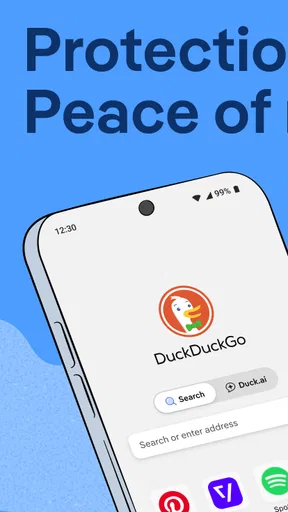
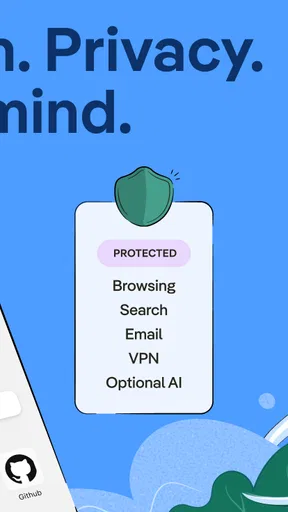


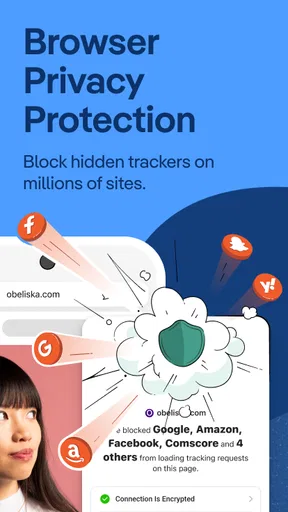

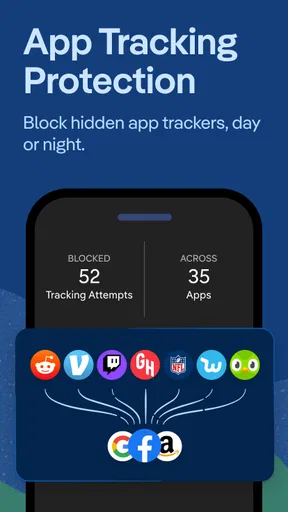

 Analysis by AppCompare
When I first opened DuckDuckGo, the most useful thing was not a complicated privacy dashboard; it was that I could search right away. That makes it an easy app to try if you want a more private-feeling way to browse but don’t want to rebuild your phone setup all at once. My advice is to begin with one ordinary search, then explore the browser controls only when you have a reason to change something.
What to expect from the app
DuckDuckGo is a free productivity app from DuckDuckGo, built around web search and private browsing. It has been around since 2011, and its current version is 5.260.3. The app is rated for Everyone and supports Android 8.0 and later. Its average rating is 4.7 from around 2.4 million ratings, and it has more than 50 million installs. Those figures suggest that it is a familiar choice, but the real question is whether its approach fits the way you use your phone.
The app brings search and browser tools together rather than asking you to treat privacy as a separate project. That suits me when I want to look something up, read a page, and move on without first adjusting a pile of settings. Its store description also mentions chat, ad blocking, and VPN protection, so it reaches beyond a basic search box; however, I would approach those as parts of the broader offering and check the app’s current screens for what is available to me before relying on any particular tool.
Getting started without overthinking setup
On first launch, I’d keep setup simple: open the app, run a search you already know how to check, and see how the results feel. There is no need to make it your default browser immediately. Trying it alongside your usual browser is a low-pressure way to learn where its controls are and whether its search results work for your routine.
If you like the experience, the next practical step is to use it for a small, repeatable task: checking a shop’s opening information, looking up a recipe, or finding a public page you often visit. This lets you judge the app on something familiar instead of on a one-off search where you may not know what a good result looks like. You can then decide whether to make it your regular starting point.
The free price makes that trial straightforward, though the app also lists in-app purchases ranging from $9.99 to $99.99 per item. I would not assume that every feature requires a purchase, or that a particular paid option is necessary for ordinary searching. If you’re considering one, read its description in the app first and decide whether it addresses a need you actually have.
Why Choose DuckDuckGo?
At its core, DuckDuckGo is all about privacy. Unlike many other search engines, it doesn’t track you or bombard you with personalized ads. This means you can browse without worrying about your data being sold to the highest bidder. Pretty refreshing, right?
Worth Reading Before You Choose

Flipboard Shows What News Apps Must Do Beyond the Feed

Switching to Android Auto Means Rethinking Your Driving Routine

Google Calendar Makes a Crowded Week Easier to Manage

Ludo King Makes the Most of the Minutes Between Plans

Baby Panda World Brings Quick Play to Modern Phones, but Its Game Library Feels Busy

ESPN’s Live Game View Makes Following Close Games Easier
Features That Stand Out
First off, let’s talk about its clean interface. It’s straightforward and uncluttered, making it super easy to find what you’re looking for without distractions. Plus, they’ve integrated some nifty features like "Bangs"—a quick way to search other sites directly from DuckDuckGo. Type “!w” followed by your search term, and you’re whisked off to Wikipedia!
Another cool feature is their tracker blocking. By using the DuckDuckGo browser extension, you can block trackers on any website you visit. This not only boosts your privacy but also speeds up page load times. Double win!
Making one search work harder
Bangs are especially useful when I already know which site is likely to have the answer. Instead of searching broadly and then opening a site to search again, I can enter a shortcut with my query and go straight to that destination. I find this handy for reference lookups, but it is not a universal replacement for ordinary search: a site-specific search can favour that site’s own results, so I switch back to a general query when I want a wider range of sources.
That small choice is a good example of how to get value without changing your habits overnight. For instance, if I’m checking a term I expect to find in an encyclopedia, a Bang can save a step. If I’m comparing advice from several places, a regular search is the better starting point. Learning one or two shortcuts that match your routines is more useful than trying to memorize a long list.
Browsing Experience
Using DuckDuckGo feels like a breath of fresh air. It’s fast, reliable, and doesn’t throw irrelevant ads in your face. The search results are clear and concise, and I’ve found them to be just as accurate as other major search engines.
For those who value customization, DuckDuckGo offers a range of settings to tweak. You can change the theme, adjust the region, and even choose your preferred language. It’s all about making the browsing experience uniquely yours.
A realistic day-to-day test
Imagine you’re on your way to meet a friend and need to check a restaurant’s menu, then find directions or opening details. I would start with a search in DuckDuckGo, open the relevant page, and use the browser for that quick task. Later, at home, I might use a Bang for a site I visit often or adjust the region if local results are not what I need. This is a sensible way to test it: use it for low-stakes searches first, then keep it if the results and controls suit you.
Search quality can vary by query, as it does across search tools. If a result is missing, too broad, or not current enough for a decision, I don’t treat one search engine as the final authority. I try a different phrase, check the original source, or use another search service for comparison. Privacy-minded browsing is useful, but it doesn’t remove the need to verify important information.
Mobile App Magic
Let’s not forget the DuckDuckGo app available for both Android and iOS. It mirrors the desktop experience beautifully, ensuring you can maintain your privacy on the go. The app is lightweight and doesn’t hog your phone’s resources, making it a fantastic choice for any mobile user.
Where the browser extension fits
The tracker-blocking point deserves a little context: the browser extension is a separate way to bring DuckDuckGo’s tracker blocking to websites you visit in another browser. That is useful if you want to keep your existing desktop setup rather than move all browsing into the mobile app. I would choose one route based on where I actually browse, rather than installing overlapping tools without a clear purpose.
On a phone, the app is the more direct option for searches and pages opened there. On a computer, an extension may make more sense if you prefer your current browser. Neither choice means every website will behave identically; some pages depend on scripts or embedded content, and privacy protections can occasionally affect how a site works. If something looks broken, checking whether a protection setting is involved is a reasonable troubleshooting step.
What may feel different from familiar alternatives
Compared with a browser built around a large account ecosystem, DuckDuckGo is appealing if you want to search without making personalization the centre of the experience. The trade-off is that people who rely on account-linked history, synchronized preferences, or a particular search provider’s specialized tools may prefer to stay with that setup. I would not switch just because privacy sounds appealing if those connected features are essential to your work.
Compared with installing a separate privacy browser and a separate search app, this app offers a more consolidated starting point. That can reduce friction for casual browsing, but it may not replace specialist tools for every need. If you need a particular browser workflow, deep customization, or a search feature you use every day elsewhere, test that exact workflow before moving over. A good alternative is the one that handles your real tasks reliably, not simply the one with the most privacy-focused label.
Common points of confusion
One thing I would keep clear is the difference between the app and the browser extension. The extension is intended for use with a browser on another device; installing the phone app does not mean that extension has been added to every browser you use. If your goal is to change browsing on a computer, look at the extension route for that computer rather than assuming the mobile app covers it.
It is also easy to read “private” as “invisible.” I treat privacy features as a way to limit tracking and reduce exposure while browsing, not as a promise that every online activity is hidden or that every site becomes safe. I still avoid entering sensitive details on pages I don’t trust, and I check the address and source before acting on important results.
Finally, a clean results page does not guarantee that every answer will match another search engine’s ranking. If you are used to a different provider, results may appear in a different order or emphasize other sources. Try a few searches that matter to you before deciding; a short, familiar test is more informative than judging the app from its first screen.
Who is likely to enjoy it—and who may prefer something else
I’d recommend giving DuckDuckGo a try if you want a straightforward mobile search and browser experience, value privacy-conscious defaults, and are comfortable checking a second source when a search is important. It can also suit someone who wants to experiment gradually: use it for a handful of searches, learn a shortcut, and decide whether it deserves a more prominent place on the phone.
I would hesitate to recommend it as a complete replacement to someone whose routine depends on a specific search engine’s account features, deeply connected services, or specialized results. It may also frustrate people who expect one browser to manage every aspect of online privacy without any thought from them. The best fit is a person who appreciates a simpler search experience and understands that privacy tools are helpful choices, not a substitute for judgment.
Final Thoughts
If you’re concerned about online privacy, DuckDuckGo is a game-changer. It’s simple yet powerful, offering a safe haven from the prying eyes of the internet. While it might not have all the bells and whistles of some other search engines, its commitment to privacy makes it a solid choice for anyone looking to browse securely.
So, why not give it a shot? You might just find it’s exactly what you’ve been searching for!
Pros
- User-friendly interface
- easy to navigate.
- Strong privacy features
- no tracking.
- Fast browsing experience.
- Built-in ad blocker improves speed.
- Supports voice search efficiently.
Cons
- Limited customization options.
- Occasional compatibility issues.
- Fewer extensions than competitors.
- Some websites may not load properly.
- Limited search result filtering.
FAQs for DuckDuckGo, optional Duck.ai
What is DuckDuckGo, and how does it differ from other search engines?
DuckDuckGo is a search engine that prioritizes user privacy and does not track your search history or personal information. Unlike Google or Bing, DuckDuckGo does not collect or share personal data, making it a preferred choice for users concerned about online privacy and data protection.
Is DuckDuckGo available as a mobile app, and what features does it offer?
Yes, DuckDuckGo offers a mobile app for both Android and iOS platforms. The app includes features like tracker blocking, encryption enhancement, and private search. It also has a built-in privacy browser that helps users browse the internet securely, without being tracked by advertisers and data brokers.
How does DuckDuckGo ensure my online privacy?
DuckDuckGo ensures privacy by not storing personal search histories or user profiles. It blocks hidden third-party trackers on websites and forces sites to use encrypted connections where possible. This means your searches remain anonymous and your browsing experience is safer from prying eyes and intrusive ads.
Can DuckDuckGo be used alongside other search engines or browsers?
Yes, DuckDuckGo can be used alongside other search engines or browsers. It can be set as your default search engine in most browsers, or you can use the DuckDuckGo app in combination with other browsing tools. This flexibility allows users to maintain privacy while still accessing their preferred web services.
Are there any limitations or downsides to using DuckDuckGo?
While DuckDuckGo excels in privacy, some users may find its search results less personalized compared to Google, which tailors results based on user data. Additionally, DuckDuckGo may not have the same breadth of services or integrations with other apps and platforms that Google offers. However, for users prioritizing privacy, these trade-offs are often worth it.


